






Support Hub
View Wallet transactions
What does this do?
Viewing your Wallet transactions allows you to keep track of all the purchases made using your Wallet card.
Locating Wallet transactions
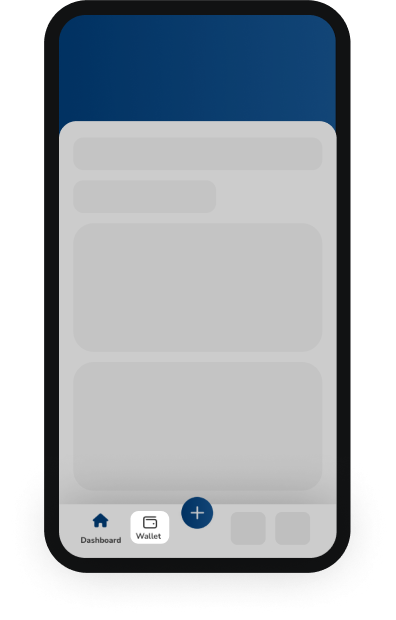
Go to your Wallet settings, which can be found at the bottom of your dashboard. The “Wallet” text will be accompanied by a wallet icon. Follow this link to access your Wallet settings.
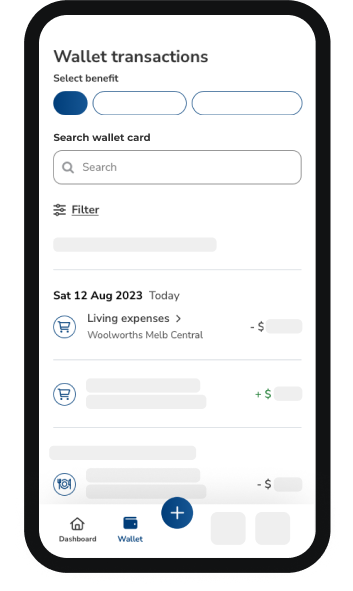
Viewing transactions
|
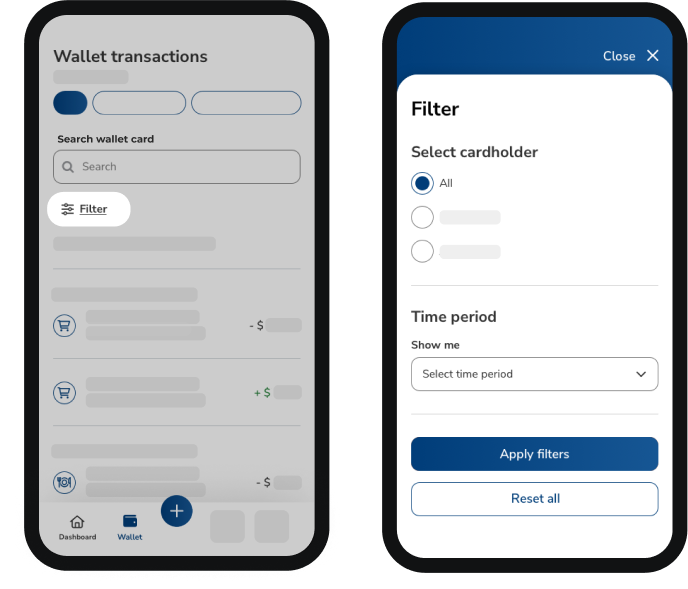
Filtering transactions
The filter option will allow you to:
|
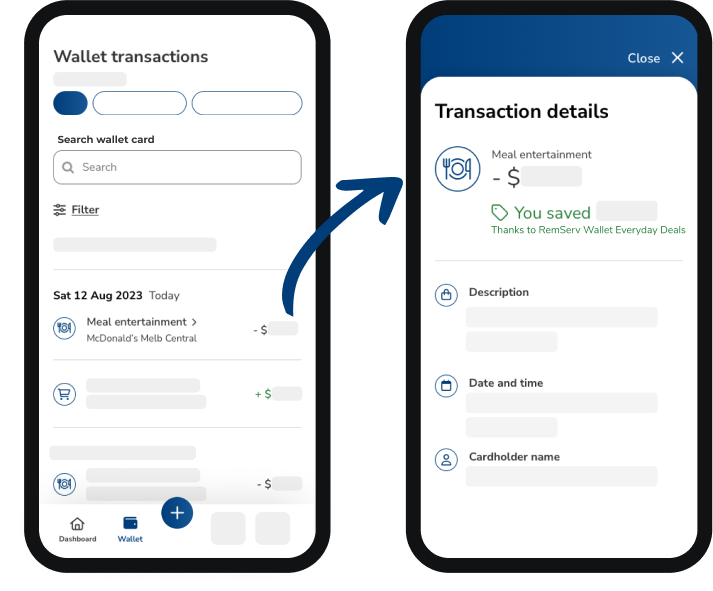
Accessing transaction details
Tap on a specific transaction to view additional transaction details such as:
|
Important note
Regularly reviewing your transactions can help you stay on top of your spending and quickly identify any unauthorised transactions.
Remuneration Services (Qld) Pty Ltd | ABN 46 093 173 089 (RemServ)
Remuneration Services (QLD) Pty Ltd (ABN 46 093 173 089) (RemServ) act as an authorised representative on behalf of a number of Australian financial services licensees. The capacity in which we act and the financial services we are authorised to provide are set out in our Financial Services Guides. We act as an agent for those licensees and not for you. Regulated leasing and related services are provided by Onboard Finance Pty Ltd ABN 18 645 542 776, Australian Credit Licence no. 532668. Onboard Finance authorises Remuneration Services (QLD) Pty Ltd ABN 46 093 173 089 (Credit Representative no. 540077) to provide credit assistance to you. Credit guide for Remuneration Services (QLD) Pty Ltd (as credit representative of Onboard) available here.
RemServ collects your personal information from you when you apply for a product and request any information from us, and we may use this information to contact you about our products, services and offerings. To read more about how we handle your personal information, please read our Privacy Statement.
RemServ may pay and/or receive commissions in connection with its services.